
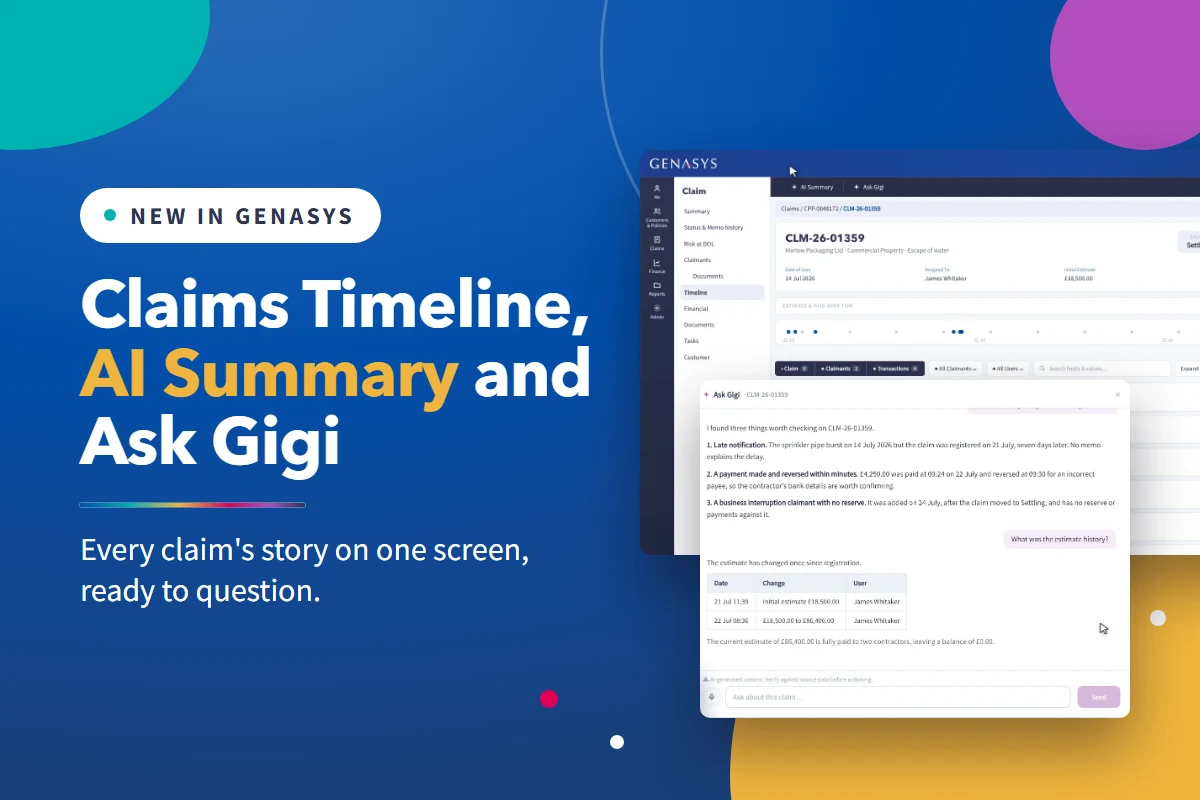
Genasys claims management now gives every claim its own timeline, with two AI tools built on top of it: an AI Summary that writes the claim's story in order, and Ask Gigi, a read-only chat that answers questions about the claim. All three are available in the latest Genasys release.
A claim builds up a long history: the first notification, estimate changes, claimants added, memos, payments requested, approved and sometimes reversed. Until now a claims handler picking up a file had to piece that history together from several screens. The new features put it on one screen and let the handler ask questions of it in plain English.
Ben du Preez, Chief Product and Innovation Officer at Genasys, says: “Just the timeline, without the AI, brings the history of the claim into one screen, one place, instead of hunting for it all over the claim.”
The Claims Timeline: every event on one screen
Every claim now generates its timeline automatically. The claim's key details sit at the top (status, estimate, amount paid, date of loss, who it is assigned to and who has worked on it), and below them every event on the claim is listed in date order, with who made the change and when.
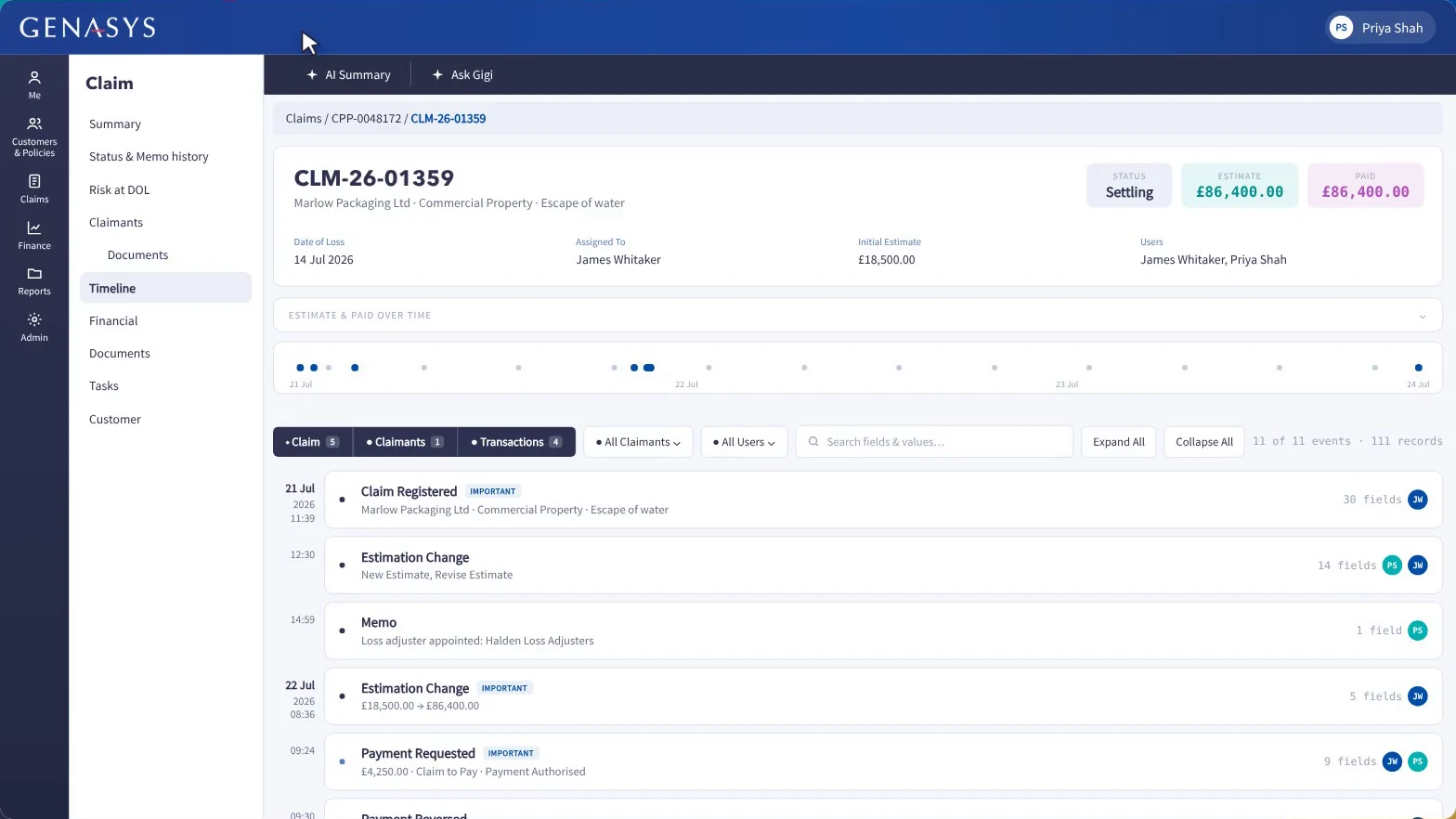
Four tools make a long claim quick to read.
What the Claims Timeline does
AI Summary: the claim's story, in order
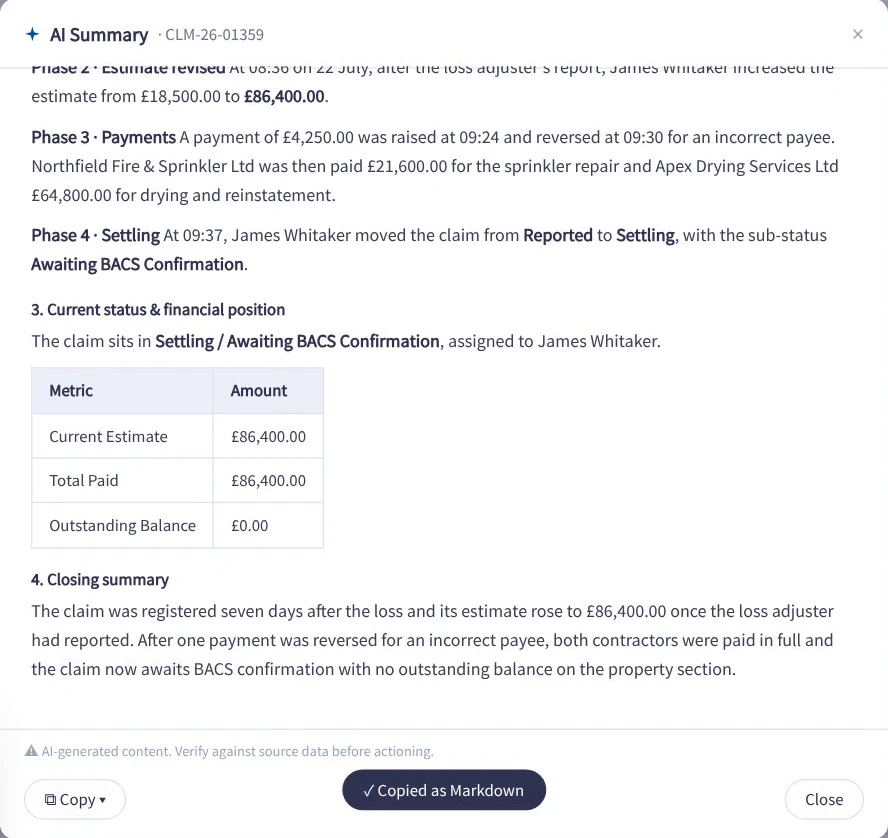
One click on AI Summary turns the timeline into a written account of the claim. It follows the same four parts every time: the incident, a chronological narrative in phases, the current status and financial position (with a table of the current estimate, total paid and outstanding balance), and a closing summary.
It is written for the person who was not there. A handler taking over a claim, a team leader reviewing a file or an auditor checking a decision can read the whole claim in one place instead of clicking through screen after screen. The summary can be copied as Markdown or rich text, ready to paste into an email, a file note or a report.
Ask Gigi: ask the claim a question
Ask Gigi is a read-only chat with the full context of the claim's timeline, financials and history. It opens with suggested questions, and the handler can type their own.
- What is the current status of this claim?
- Summarise the payment history.
- Who are the claimants and what was paid to each?
- Were there any delays or unusual patterns?
Asked about delays or unusual patterns on the demonstration claim, Gigi found three things worth checking: the claim was registered seven days after the loss with no memo explaining why, a payment was made and reversed within minutes, and a business interruption claimant had been added with no reserve against it. Asked for the estimate history, it answered with a table of each change, its date and the user who made it.
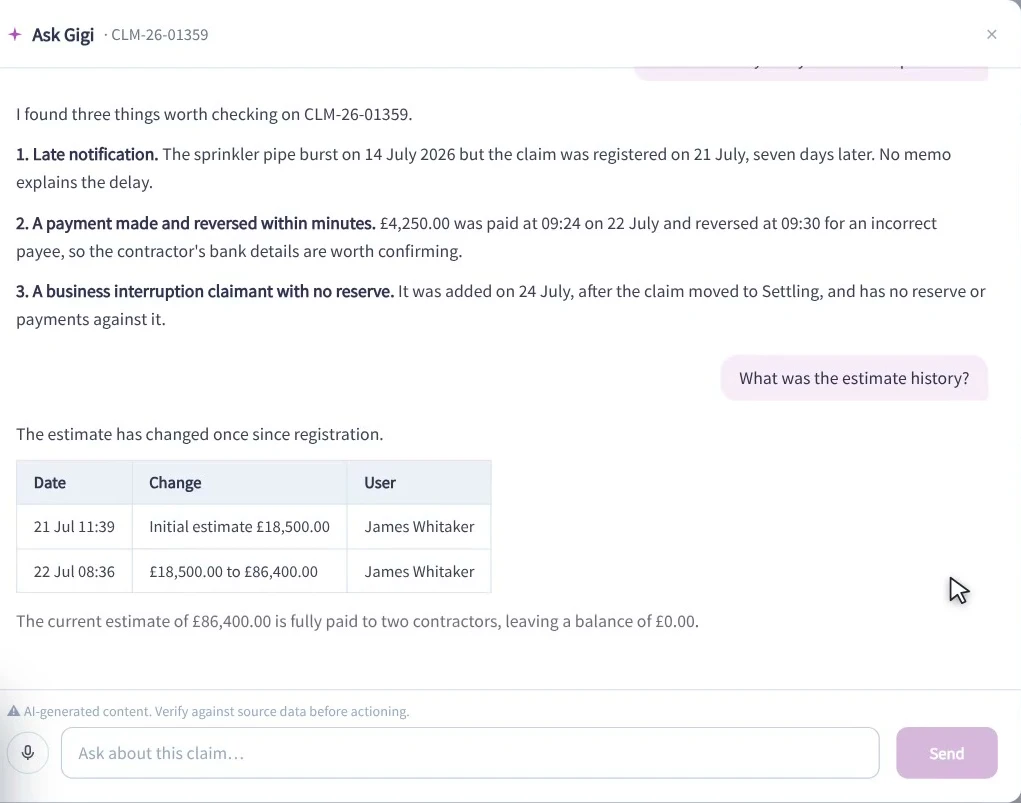
Gigi can read the claim but cannot change it. Every answer, like every AI Summary, carries a note that it is AI-generated and should be checked against the source data before anyone acts on it.
Built on structured claim data
The timeline is what makes the AI useful. Each event is stored with its type, its sequence, the values that changed and the user who changed them, and that structure is compressed into a form a large language model can read efficiently. The AI Summary and Ask Gigi both work from that record.
Ben du Preez says: “The biggest work here was structuring the data properly in a way that an LLM can process it. If someone comes on board later and they weren't involved, it's going to tell you exactly what went down.”
Availability
The Claims Timeline, AI Summary and Ask Gigi are available on the latest Genasys release. Existing customers can talk to their Genasys Customer Success Manager about upgrading. To see how they fit into the rest of the claims process, from first notification to settlement and recovery, visit Genasys claims management.
See Ask Gigi on your own claims
Book a demo to see the Claims Timeline, AI Summary and Ask Gigi in Genasys claims management, the cloud-based claims system for insurers, MGAs and brokers.
Claims Timeline
AI Summary
Ask Gigi